
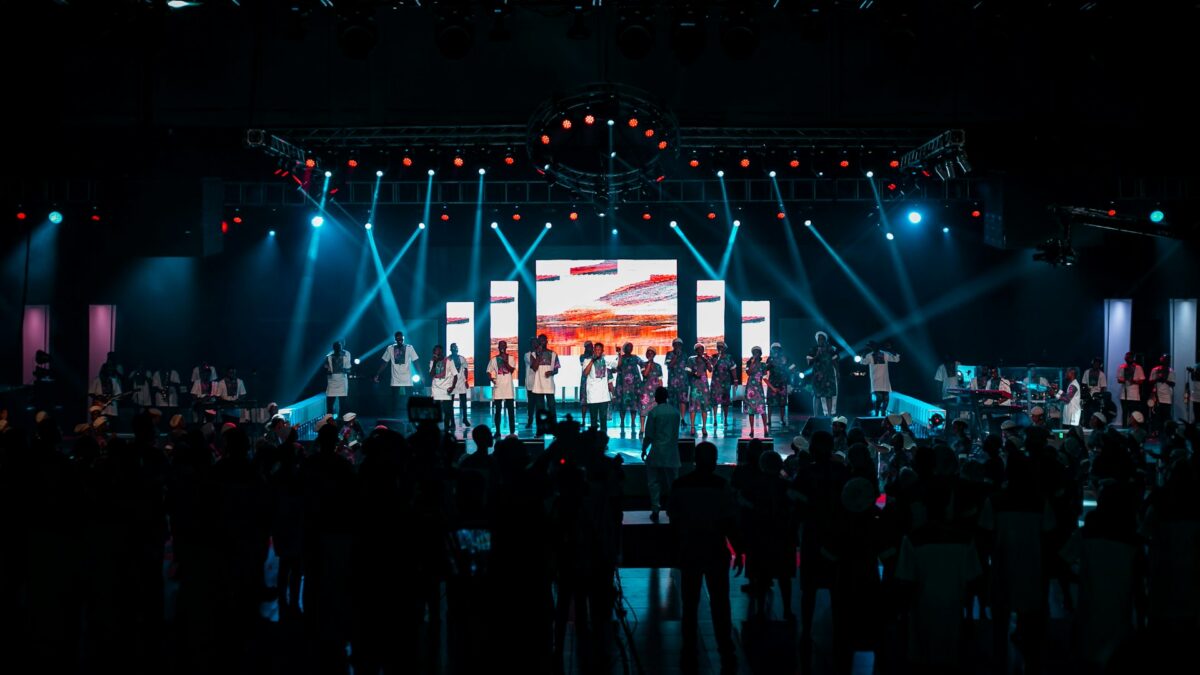
You walk into the sanctuary and the stage looks fantastic. Then you check the livestream and everything looks flat, dim, and a little muddy. Faces are lost in shadow, colors do not match, and the whole scene feels amateur. Your eyes and your camera do not see light the same way, and once you understand that difference, fixing it is very doable. Here is how Phoenix Valley churches light a stage that looks as good online as it does in person.
Your Camera Is Not as Forgiving as Your Eyes
The human eye adjusts constantly and fills in detail even in tricky lighting. A camera cannot do that. It needs more light, more even light, and more consistent color than your congregation ever notices. When people say a stream “looks bad,” the culprit is usually lighting, not the camera itself. Most HD cameras look their best when the speaking area sits somewhere between 600 and 1,000 lux, which is brighter and flatter than many churches expect.
The Three Problems That Flatten a Stream
Most flat looking church streams share the same three issues.
The first is not enough front light. If your stage relies on colorful overhead wash and moving heads, the room feels exciting but faces go dark on camera. You need dedicated, even front light on anyone who talks or sings.
The second is no separation. When every light comes from the front, people blend into the background and the image looks two dimensional. A little back light behind the pastor or worship team creates a rim of light that lifts them off the backdrop and adds depth instantly.
The third is mismatched color. Mixing warm 3200K fixtures with cool 5600K fixtures confuses the camera’s white balance and makes skin tones swing orange or blue. Pick one color temperature for your key light and stick with it.
Front, Back, and Side: The Simple Formula
Good camera lighting follows a simple pattern. Front light lands evenly on faces so the camera has plenty to work with. Back light separates people from the background. Side light fills in whenever someone turns their head so they never fall into shadow mid sentence. Your colorful stage wash and effects can still play in the background, but they should sit behind this foundation of clean, neutral light, not replace it.
Watch Out for Windows Behind the Stage
This one bites a lot of Arizona churches. If bright windows sit behind your speaker, the camera reads all that light and darkens everything else to compensate, turning your pastor into a silhouette. Our desert sun makes this worse than most regions. Cover or shade any windows behind the stage during service, and light your subject brighter than the background so the camera exposes for faces, not glass.
Lighting Is Only Half the Stream
Even perfect lighting cannot rescue a stream that sounds bad, and audio problems drive viewers away faster than a dim picture ever will. If your online sound is letting you down, our post on why your church livestream audio sounds bad is worth a read. If you are still building out your broadcast, our practical church live stream setup guide covers the full signal chain, and our PTZ camera buyer’s guide helps you pick the right cameras once the lighting is dialed in.
Pick Fixtures the Camera Will Love
The fixtures you buy shape how easy all of this is. For lighting faces, look for daylight balanced white light with a high color rendering index, which is a measure of how accurately a light reproduces color. A high CRI fixture makes skin tones look natural on camera instead of sickly or flat. Avoid lighting your speakers with heavily saturated colors, since deep reds and blues on a face read poorly online and confuse the camera. Save the bold colors for your background wash and your set pieces, and keep clean, neutral white light on anyone the camera needs to see clearly. Dimmable, flicker free LED fixtures are ideal, because cheaper lights can produce a visible flicker that only shows up on video.
Getting Consistent Every Week
The goal is a look you can repeat every Sunday without a lighting expert in the booth. That usually means a few dedicated camera lights on a saved scene so volunteers do not have to rebuild the look each week. If your lighting console can recall scenes, take advantage of it. Our volunteer friendly guide to DMX lighting control explains how that works in plain English.
Lighting a stage for camera is part art and part engineering, and it is one of our favorite problems to solve. If your stream looks flat and you are not sure why, reach out to Brilliance AV and we will help you build a look that translates.
About Brilliance AV
Brilliance AV is a church AVL design and installation company based in Tempe, Arizona, serving churches across the Phoenix Valley. From audio and video to lighting and networking, we help worship centers build systems that just work. Call us at (480) 903-4432, email hello@brillianceav.com, or contact us here.
